POWERFUL FEATURES

iCloud Spider Officially and Permanently Unlock, Bypass & Remove iCloud Activation Lock on your iPhone 11 Pro / 11 Pro Max, 12 / 12 Mini, 12 Pro / 12 Pro Max, 13 / 13 Mini, 13 Pro / 13 Pro Max, 14 / 14 Plus, 14 Pro / 14 Pro Max, 11, 11 Pro, X, 8, 8 Plus, 7 Plus, 7, 6S Plus, 6S, 6, SE, 5S, 5C, 5, 4S, 4 and all iPad 4,3,2 Air, Pro and iWatch Versions.

Permanent Removal Tool

iCloud Spider can be used to remove iCloud Lock permanently from your device without the fear of being locked again.

Disable Find My Phone

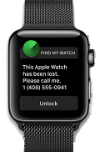
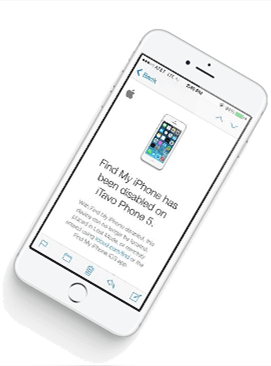
No matter who is previous owner of the iPhone, iCloud Spider will just disable "Fiand My Phone" feature from the device.

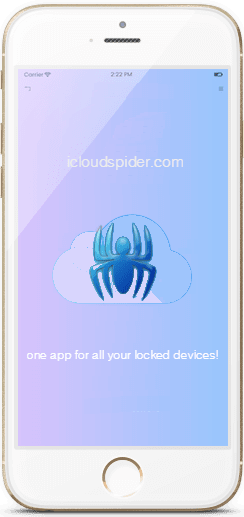
icloud spider android icloud spider mobile

Anti-Detection System

iCloud Spider use built-in proxies and private servers and data enctyption to unlock your device so you no traces are left.

Let You Update iOS

You can easily update your device's iOS version without any problem after unloking it with the iCloud Spider.

Multiple Unlock Methods

With iCloud Spider you have the flexibility to unlock your device either via USB or by using your phone IMEI number.
  • unlock iphone
  • icloud unlock
  • apple watch icloud unlock
  • iphone unlocker
  • icloud-lock-removal
  • ipad pro unlock
  • icloud unlocker
  • iphone x icloud unlock

CAN MY IPHONE BE UNLOCKED ?

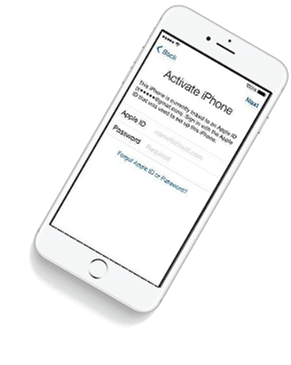
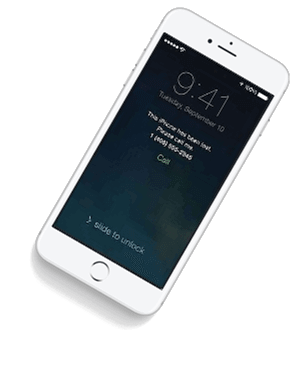
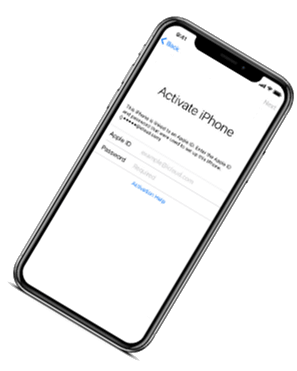
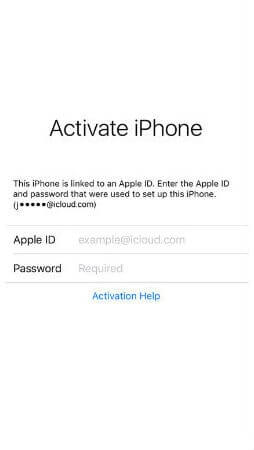
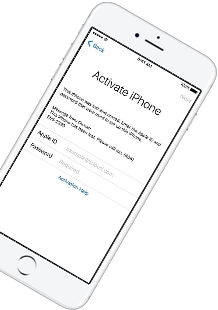
If you have forgotten your apple id or you bought a used iPhone from ebay/walmart and the original owner has enabled "Find My Phone" feature accidentally or purposely and you don't know how to contact him or unlock your device then you are on right place.

iCloud Spider will not only help you to unlock your iPhone but it will also remove any icloud activation lock (e.g. Find My Phone) from your device forever.

No Installation

No installation required to use iCloud Spider.

Free to use

You can download iCloud Spider for free.

Easy To Use

An easy to use & user-friendly interface.

Pro Features

With iCloud Spider Pro you can unlock unlimi-ted devices via USB & IMEI.

HOW IT WORKS ?

Unlocking iPhone made easy with iCloud Spider. You don't have to install iCloud Spider on your PC to unlock your iPhone/iPad. Read the instructions below to learn how to use our icloud unlock software.

Download

Download & run iCloud Spider on your PC. (You can unlock just one device by IMEI in free version of iCloud Spider)

Connect Device/Type IMEI

Connect your locked iphone/ipad to your pc via usb or type your phone's imei in iCloud Spider and hit the "Unlock This Device" button.

Get Your Device Unlocked

iCloud Spider will permanently unlock your locked iphone/ipad in just few minutes depending on your internet speed.

icloud spider helping video
Watch Video Tutorial

AVAILABLE ON MULTI-OS

One App For All Your Decives!

iCloud Spider is multi-devices & multi-OS supported. You can download & use IS(iCloud Spider) on Windows and MAC. iOS and Android version will be added soon.

Supported Devices:
  • All iPhone(s)
  • All Tablets
  • All iWatches

  • Use iCloud Spider Web-based Tool:   Click Here


    Use Online FRP Lock Removal App:   Click Here

    vu tv firmware update extra quality

    iCloud Spider Screenshots

    See the working of our icloud unlocker tool below. It's easy to unlock any iPhone/iPad within seconds.

    ICLOUD SPIDER PRICING

    Unlock any iCloud locked device with the ease of our iCloud activation lock removal software at very affordable prices.

    Personal

    $0

    • Manual Updates
    • Unlock by IMEI
    • Unlock upto 1 Device(s)
    • VPN Proxy System
    • Email Support
    • -
    DOWNLOAD NOW

    PRO

    $15

    • Automatic Updates
    • Unlock via USB & IMEI
    • Unlock upto 30 Devices
    • VPS Proxy Servers
    • Chat & Email Support
    • -
    BUY NOW

    BUSINESS

    $30

    • Automatic Updates
    • Unlock via USB & IMEI
    • Unlock upto 100 Devices
    • Dedicated Proxies
    • Chat, Email & Phone Support
    • 7 Days Money Back Guarantee
    CONTACT US

    Vu Tv Firmware Update Extra Quality Exclusive Jun 2026

    On supported VU models (like the Premium or GloLED series), the update improves HDR10 parsing. It preserves details in dark shadows and bright highlights better than the factory default settings.

    Most Vu Smart TVs run on Android or Google TV platforms. You can check for updates manually following these steps:

    Updating your Vu TV firmware is one of the most effective ways to unlock "extra quality" in both visual performance and system speed. While Vu is known for delivering premium features at an affordable price, regular updates ensure that its Pixelium HDR engine and picture processing stay competitive with high-end brands.

    The "Extra Quality" setting is essentially an AI-based upscaling and enhancement algorithm. Since most Indian cable/DTH content is broadcast in Standard Definition (SD) or lower-quality High Definition (720p/1080i), the feature attempts to reduce noise, sharpen edges, and enhance colors to make the picture look closer to 4K.

    How do you know if you are missing out on ? Look for these common symptoms:

    Should you update and use it?

    Leo switched to a news broadcast. The anchor was speaking, but the "Extra Quality" was so high that Leo could see the sweat glands beneath her makeup. He could see the microscopic tremors in her hands. More unsettlingly, he could see what was behind her—not the studio wall, but the reflections of the camera crew in the curvature of her pupils, rendered in impossible detail. He tried to turn the TV off. The remote wouldn't respond.

    On supported VU models (like the Premium or GloLED series), the update improves HDR10 parsing. It preserves details in dark shadows and bright highlights better than the factory default settings.

    Most Vu Smart TVs run on Android or Google TV platforms. You can check for updates manually following these steps:

    Updating your Vu TV firmware is one of the most effective ways to unlock "extra quality" in both visual performance and system speed. While Vu is known for delivering premium features at an affordable price, regular updates ensure that its Pixelium HDR engine and picture processing stay competitive with high-end brands.

    The "Extra Quality" setting is essentially an AI-based upscaling and enhancement algorithm. Since most Indian cable/DTH content is broadcast in Standard Definition (SD) or lower-quality High Definition (720p/1080i), the feature attempts to reduce noise, sharpen edges, and enhance colors to make the picture look closer to 4K.

    How do you know if you are missing out on ? Look for these common symptoms:

    Should you update and use it?

    Leo switched to a news broadcast. The anchor was speaking, but the "Extra Quality" was so high that Leo could see the sweat glands beneath her makeup. He could see the microscopic tremors in her hands. More unsettlingly, he could see what was behind her—not the studio wall, but the reflections of the camera crew in the curvature of her pupils, rendered in impossible detail. He tried to turn the TV off. The remote wouldn't respond.

    LATEST NEWS FROM BLOG

    iCloud Spider New Features

    Our developers have now added support for iPad Pro 11.5". So download the latest version of IS to enjoy this feature...

    unlock icloud free online

    New Supported Devices

    16 MAY 2024

    Our developers have now added support for iPad Pro 11.5". So download the latest version of iCloud Spider... vu tv firmware update extra quality

    icloud unlocker v2.zip download

    iCloud Spider For Mobile Devices

    11 JULY 2024

    Good News! Android & iOS versions of the iCloud Spider are in beta testing and will be available for free to our existing customers. On supported VU models (like the Premium or

    icloud activation lock removal free

    Apple iOS 12 Has 25 Great Secret Features

    07 AUGUST 2024

    Here's the complete list of 25 great hidden iOS 12 features available for your iPhone, iPad and iPod touch. You can check for updates manually following these